

Judgment Agent
Understand how the in-product Judgment Agent combines page context, project data, and controlled actions.
The Judgment Agent is the in-product agent for investigating and acting on Judgment data. It combines the current page and selected entities with project-scoped tools for traces, sessions, judges, behaviors, tests, issues, and automations.
Use it when the Judgment page you are viewing is part of the question. Use a coding agent with the data MCP when the task also needs to inspect or change a local repository.
Start a conversation
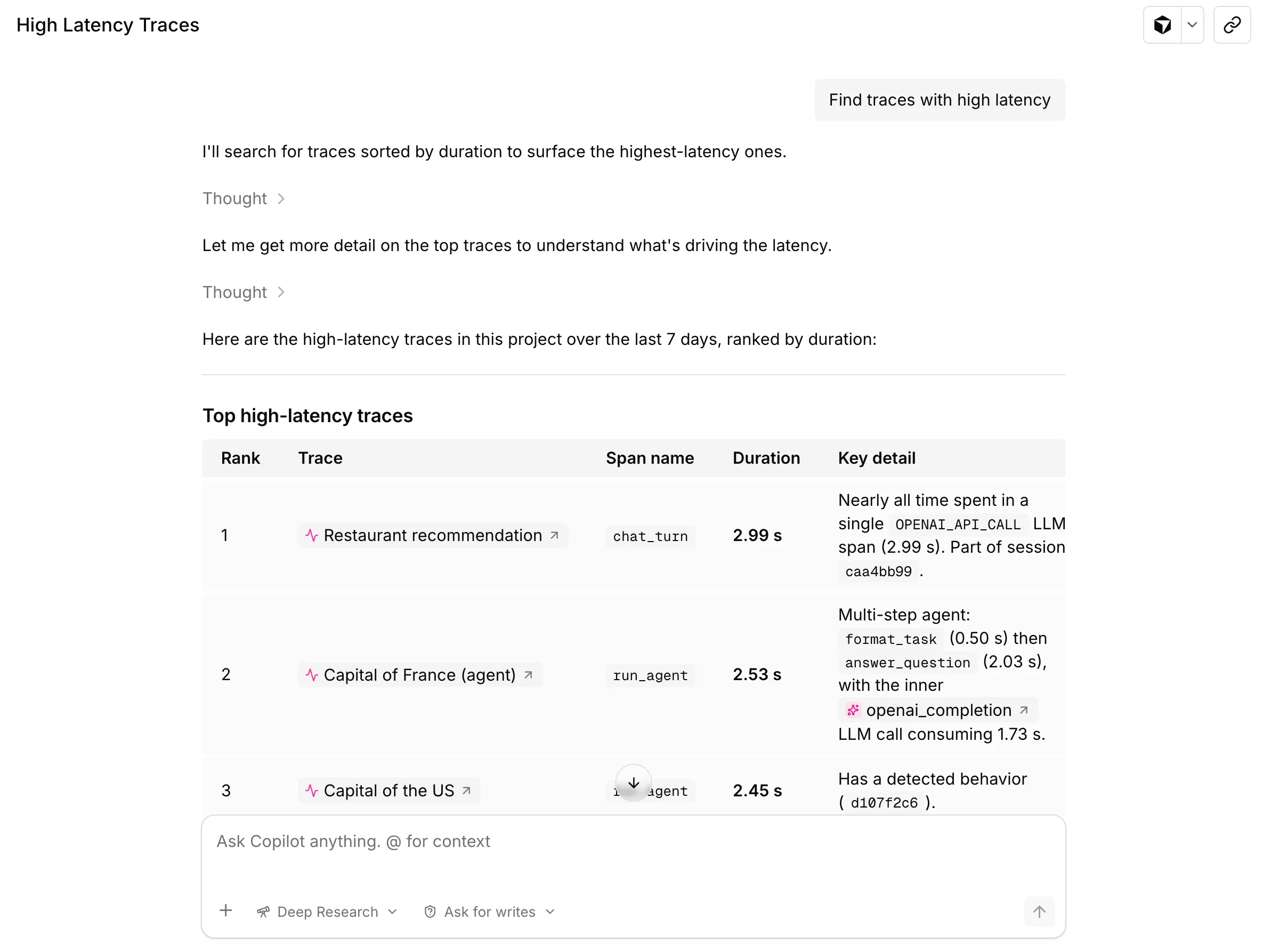
Open your project home and enter a question in Ask Judgment. For a more focused investigation, open a trace, behavior, judge, test run, or monitoring view first, then choose Ask Judgment from that page.
Try this first prompt from the project home:
What should I investigate first in this project? Cite the traces, behaviors,
or test runs behind your recommendation.
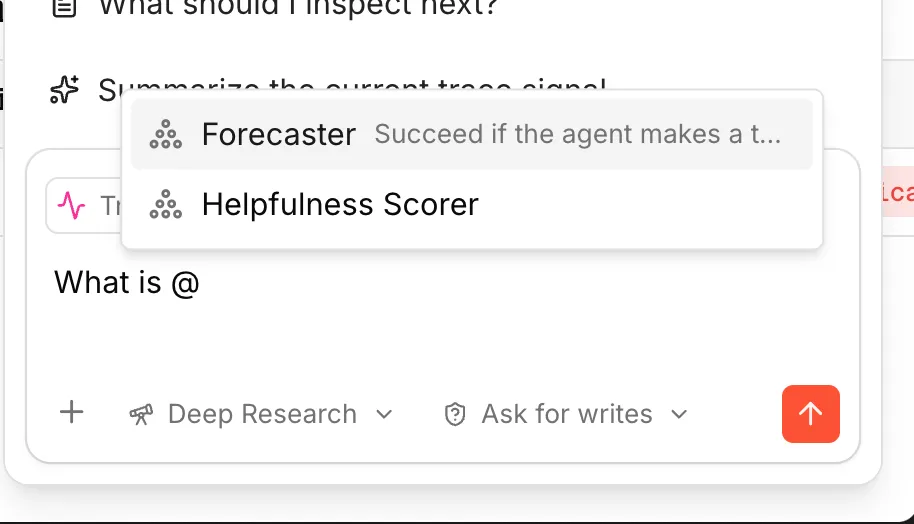
The current page attaches automatically. You can add another entity with @
or select text in the product and choose Ask Judgment to quote it.
Context and mentions
Two sources feed every answer: the page context captured automatically, and any mentions added with @.
Page context. A snapshot of the current page attaches to every message — no re-pasting of trace IDs, judge prompts, or applied filters. Supported surfaces include project home, traces, sessions, dashboards, monitoring views, judge editors, judge behavior tabs, test runs, and test comparisons. The empty state surfaces page-specific suggested prompts.
@ mentions. Type @ to pin traces, spans, judges, behaviors,
automations, views, datasets, or Agent Memory files into the conversation.
Mentions persist across turns and the agent reuses their real IDs in tool
calls. Inside a trace, the focused span attaches automatically through the page
snapshot.
Text quotes. Select text anywhere in the product and trigger Ask Judgment to attach the selection as a quoted reference.
Modes and permissions
Deep Research is the default. It plans a multi-step investigation: searches across traces, scores examples, cross-references behaviors, and stitches evidence together before answering. Right for root-cause analysis, judge prompt iteration, and test run comparisons.
Fast is the lighter alternative. Single-pass answers grounded in the current page snapshot plus a small number of tool calls. Right for triage, summaries, and quick questions.
Tool permissions control whether write tools require approval:
- Require approval (default) — confirm before write tools create, update, or delete data.
- Auto approve — let write tools run without approval prompts. Organization roles and tool-specific validation still apply.
Code Mode
Agents on the V1 harness can batch related tool calls in Code Mode. Each call
starts with fresh JavaScript variables. The agent can preserve JSON results
with await store(key, value) and retrieve them with await load(key) in
later calls within the same agent instance. Storage is in memory: it does not
survive worker restarts or carry across separate agent sessions. Missing data
must be fetched again. Earlier code and tool calls are not replayed.
Code uses text(value) to return evidence to the agent; a JavaScript return
ends execution but does not emit a value. Writes that require approval are
called directly outside Code Mode so the agent can pause for confirmation.
Common workflows
Start broad from the home page
Top-down questions work from the project home, even without knowing where to look.
- What changed in the project this week?
- What should I investigate first?
- Surface the top behaviors and traces worth attention.
The agent fans out across recent traces, behaviors, automations, and test runs, then surfaces the specific entities to drill into. Cited entities are clickable and carry the conversation forward with new page context.
Investigate a trace
Skip the manual span-by-span scan.
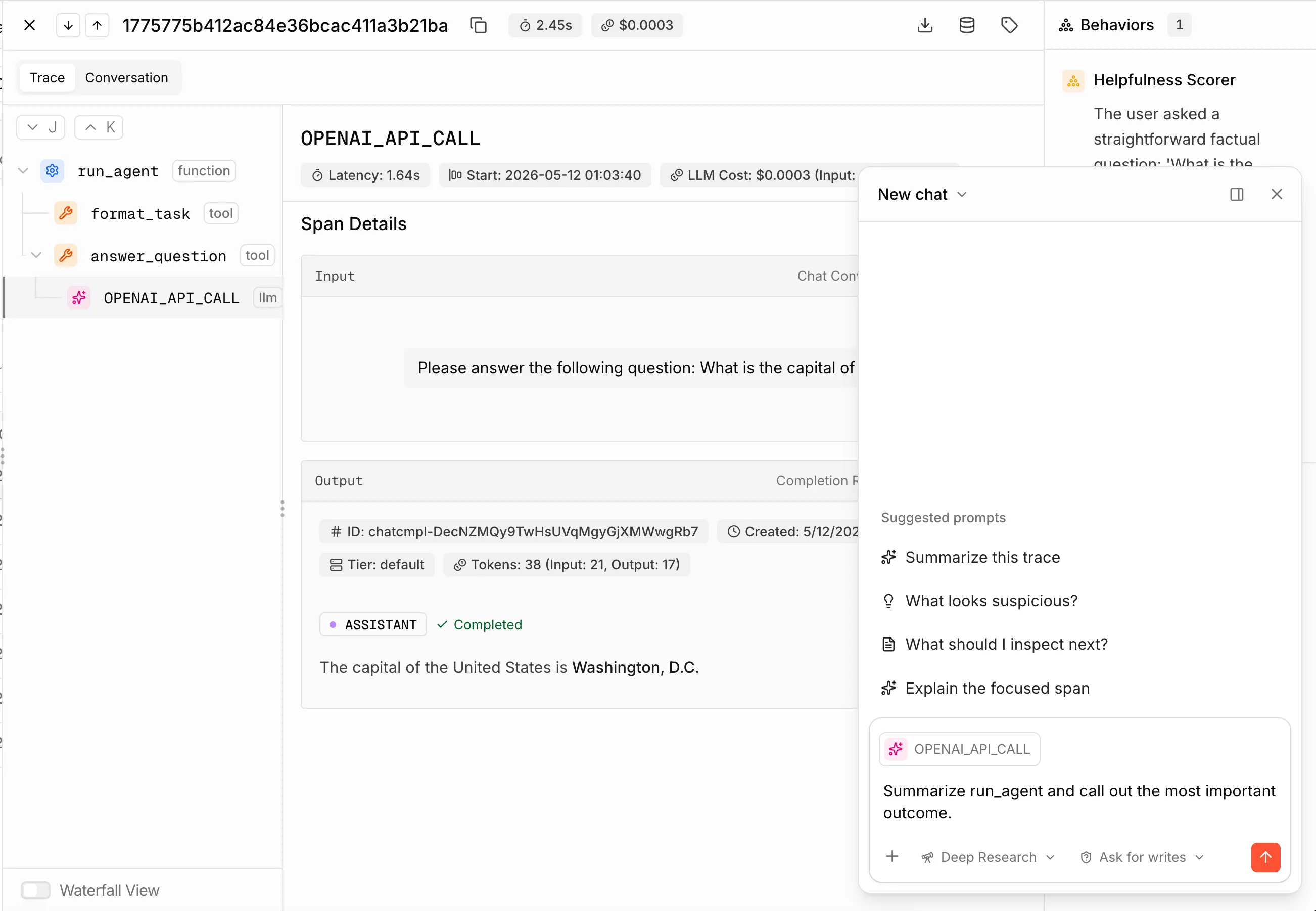
- What looks suspicious in this trace and why does it matter?
- Explain the focused span in plain language.
- Investigate this behavior. Find supporting evidence or describe what would flip it to true.
Answers cite specific spans by ID, clickable to jump in the trace tree.
Improve a judge rubric
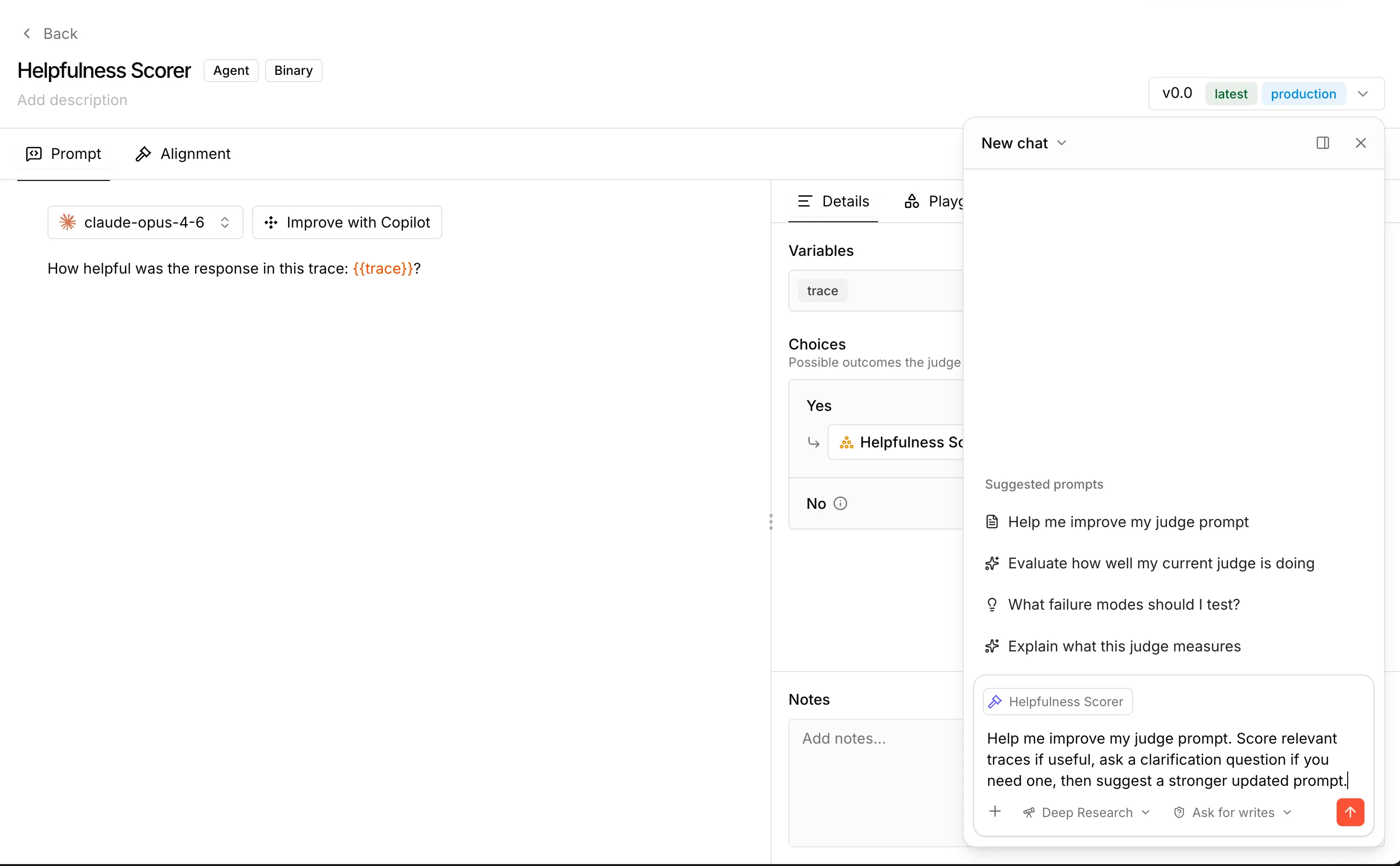
Sharpen a rubric against real trace evidence — no manual sampling.
- Help me improve my judge prompt. Score relevant traces, ask a clarifying question if needed, then suggest a stronger updated prompt.
The agent searches recent traces, picks representative examples, scores them with the current rubric, and proposes a rewrite with citations. The draft opens in the prompt editor pre-filled, and Verdict Review shows how the new rubric would re-score recent traces before saving.
Debug a noisy behavior
Diagnose behaviors that fire too much, not enough, or inconsistently.
- Why is the detection rate for this behavior low?
- Suggest concrete ways to make this behavior more reliable.
The agent samples recent firings, classifies failure modes, and explains the gap between what the judge looks for and what the traces contain. Rubric fixes apply via the draft handoff.
Compare test runs
- Compare these two test runs. Summarize the overall difference and cite the strongest example pairs.
- Which examples regressed?
Output: a structured diff with overall delta, example-level regressions with clickable IDs, and scorer-level disagreements.
Triage a monitoring dashboard
- Summarize this dashboard and highlight the most important signals.
- Which chart should I drill into first?
The agent reads active filters, time range, and visible panels. Citations link straight into the trace or session view.