

AI Agent Tracing
Track agent behavior and evaluate performance in real-time with OpenTelemetry-based tracing.
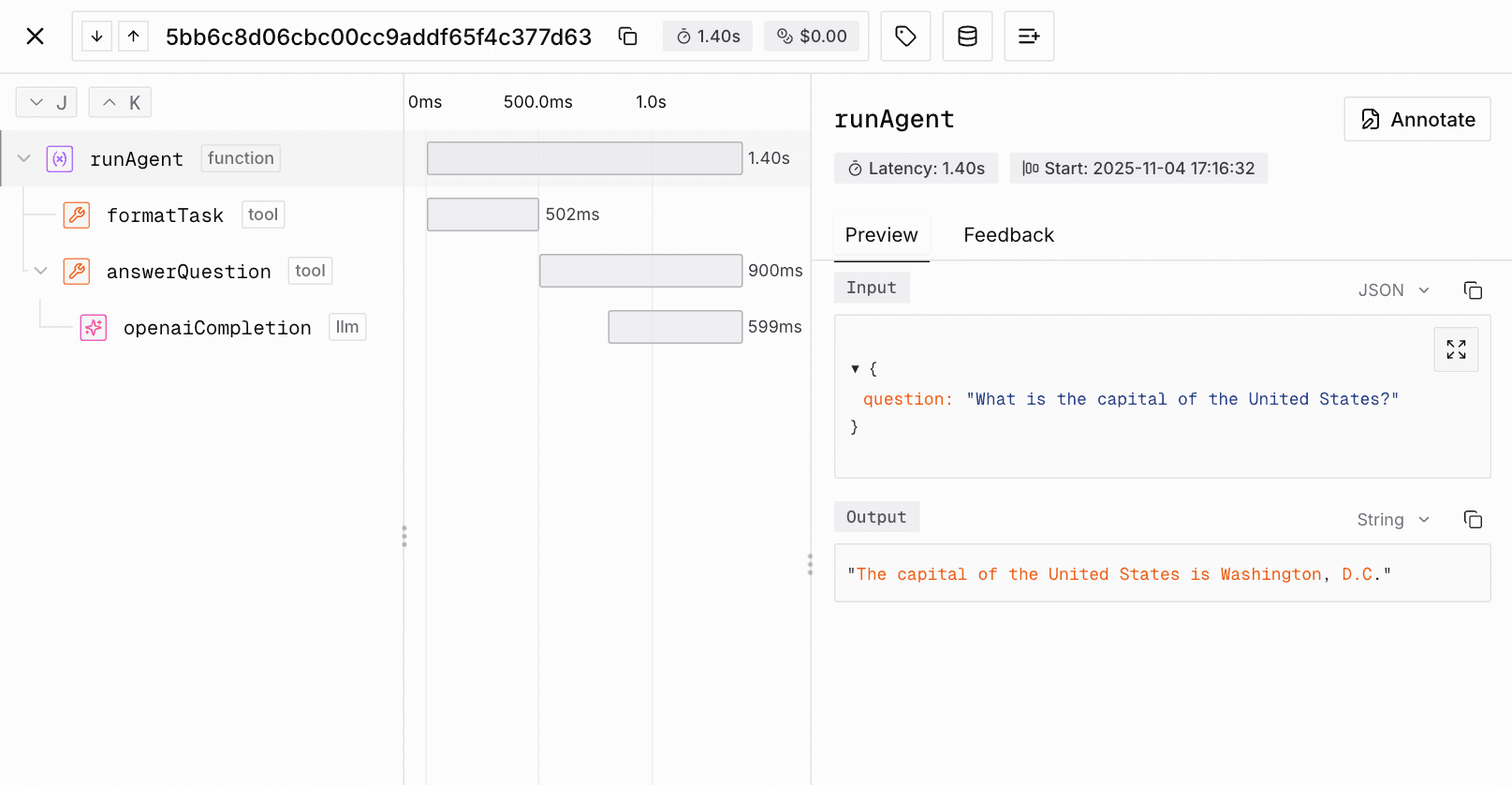
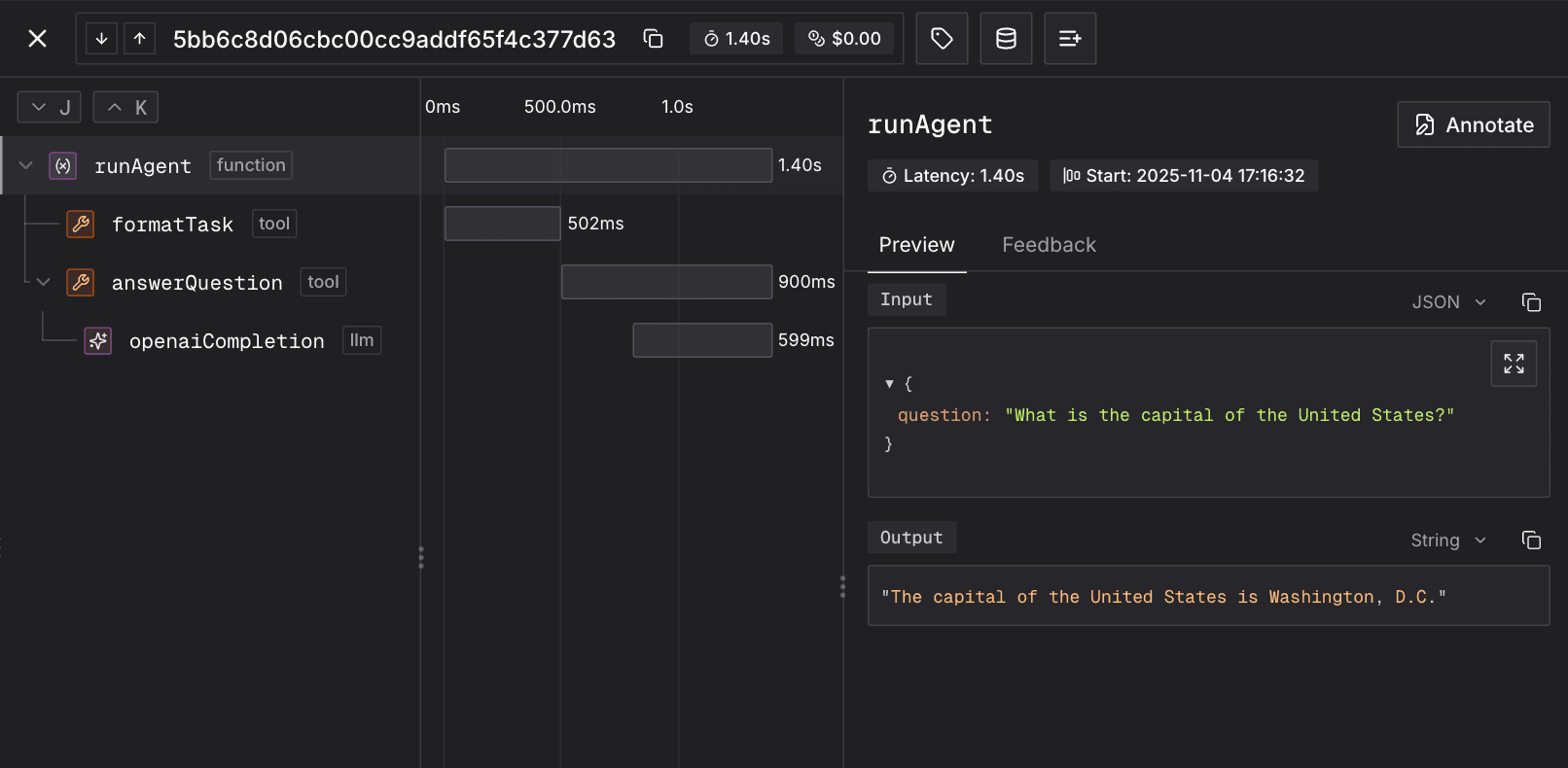
Tracing records what your agent did. Each step it takes becomes a span, the spans from one run form a trace, and you inspect that trace in Judgment. It is built on OpenTelemetry, so it works in any language.
Every traced run captures:
- Each step the agent took, such as model and tool calls, in order
- Inputs and outputs, per step
- Timing and duration
- Model, provider, token usage, and cost
- Errors, including failures the app handled and returned
- Session identity, so related traces group together
The data model
| Term | What it covers | Reach for it when |
|---|---|---|
| Span | One step: a model call, tool call, retrieval, or delegation. | You want to see what a single step received and returned. Set it with Tracer.observe on the function that does the step. |
| Trace | One stretch of autonomous work, from the app root down through every child span. | You want one run end to end. It is the unit Judgment scores. |
| Session | The traces from one conversation, job, or workflow, including work that resumes after a queue, retry, or human approval. | The work spans more than one trace and you want them grouped. See Group traces into sessions. |
A trace tree shows how the spans from one run nest in Judgment. Here is a customer support agent handling one chat turn, with the app root on top and the steps it took beneath it:
support.chat_turn
├── retrieve_context (tool)
├── generate_answer (llm)
└── save_reply (tool)
Design spans around the work the agent does, not around the structure of the code. Every function does not need its own trace. Start the root when the work starts, put the useful steps under it as children, and end it after its children finish.
Choose what one trace covers
One trace covers the work the app can carry forward on its own. Outside input is the boundary.
Group the traces from one chat, job, workflow, or run in a single session. A crash, retry, replay, or new worker does not start a new session, because the job is the same even when the process running it changes.
Examples:
| The work | Traces and sessions |
|---|---|
| A chat turn, or a job that runs start to finish without waiting for new outside input | One trace, which is also a one-trace session |
| A submission request that only drops the job on a queue | The work starts in the worker, so the worker's trace is the first in the session. The request gets no trace of its own. |
| A submission request that starts or restarts the run in its own process | The work begins in the request, so the request gets a trace of its own in the same session |
| Work before and after a human approval wait | Separate traces, in one session |
One session can hold several traces. This deep research agent submits a job, then pauses partway for human approval:
session: research-report-123
├── trace: report.submit_request
├── trace: report.plan_and_draft
│   ├── create_plan (llm)
│   ├── fetch_source (tool)
│   └── summarize_source (llm)
├── trace: approval.received
└── trace: report.finish
    ├── write_report (tool)
    └── final_response (llm)
Some runtimes make that boundary harder to place. Pick the recipe that matches yours:
Streaming
Handlers that return before generation ends
Durable work
Loops, queues, workflow engines, retries, and approval waits
Subprocess models
Model calls through a CLI or subprocess
Bundled and serverless runtimes
Bundlers, and runtimes that can freeze mid-export
Distributed tracing
One live request crossing services
Leave plumbing out of the trace. Every completed root becomes a trace that Judgment scores, so a root on plumbing adds a run with no agent work in it:
- Health checks
- Status polls
- Storage helpers
- Routine middleware
Start with auto-instrumentation
Two families of integration cover most apps, and they capture different things:
| Integration | Captures | Use it when |
|---|---|---|
| Agent framework | Execution flow: agent steps, tool calls, and the model calls the framework exposes | Your app uses a supported framework. Start here. |
| LLM client | Provider calls, token usage, and cost | The app calls a supported provider client directly |
Then, in this order:
- Enable the integration that matches your app.
- Open one app root around the work the trace covers, so the integration's spans become its children. It carries the app's input, output, and session ID, and it stays open until all its children end.
- Add
Tracer.observespans by hand only for the work the integration misses, such as your own tool calls and retrievals.
Recap: before you write code
The tracing setup follows this order in code:
- Find the path that runs real agent work, and leave the plumbing around it out.
- Choose what one trace covers, along with its root input, output, and session ID.
- Check for supported auto-instrumentation before adding spans by hand.
- Initialize tracing before creating wrappers, clients, workers, or the app.
- Find where the process can stop or save progress, then choose where to flush.
- Plan one normal run and one handled failure that the app returns instead of raising, such as a tool result with an error field. Inspect both in Judgment.
Quickstart
Initialize the tracer
Set the project name in the deployment environment, then pass it directly to the tracer.
Tracing ships enabled, and a kill switch such as
JUDGMENT_MONITORING=false turns it off. Keep tracing on when the flag
is absent, so a deployment that forgets it does not run silently
untraced.
For separate projects per environment and the rest of the project rules, see Project routing.
import os
from judgeval import Tracer

Tracer.init(project_name=os.getenv("JUDGMENT_PROJECT_NAME"))import { Tracer } from "judgeval";
await Tracer.init({
projectName: process.env.JUDGMENT_PROJECT_NAME,
});Trace your agent
This example assumes no framework integration, so it shows every
manual piece at once: an app root, a wrapped model client, and one
traced tool. Keep only the pieces your integration misses. For
supported LLM clients,
Tracer.wrap() records model calls, token usage, cache counts, and
cost, and Judgment supports OpenTelemetry instrumentation for those
providers too. Pick one of them per call, as
above.
Two details in the example are load-bearing:
- Every span is named explicitly. Without a name the SDK falls back to the function's name, and a production bundler can strip that name and leave the span blank on the platform.
- The tracer is initialized first, on the import line. A wrapper or observed function created before that stays bound to a no-op tracer and records nothing, even after setup later succeeds.
import tracer  # initializes tracing before the client is created

from judgeval import Tracer
from openai import OpenAI

openai = Tracer.wrap(OpenAI())

@Tracer.observe(
    span_type="tool",
    span_name="retrieve_context",
)
def retrieve_context(question: str) -> str:
    return f"Reference material relevant to: {question}"

@Tracer.observe(
    span_type="agent",
    span_name="run_agent",
)
def run_agent(question: str) -> str:
    context = retrieve_context(question)
    response = openai.chat.completions.create(
        model="gpt-5.6-luna",
        messages=[{
            "role": "user",
            "content": f"Question: {question}\n\nContext: {context}",
        }]
    )
    return response.choices[0].message.content

if __name__ == "__main__":
    print(run_agent("What is the capital of the United States?"))
Tracer.shutdown()import "./tracer";
import { Tracer } from "judgeval";
import OpenAI from "openai";
const openai = Tracer.wrap(new OpenAI({
apiKey: process.env.OPENAI_API_KEY,
}));
const retrieveContext = Tracer.observe(async function retrieveContext(
question: string
): Promise<string> {
return `Reference material relevant to: ${question}`;
},
{ spanType: "tool", spanName: "retrieve_context" });
const runAgent = Tracer.observe(async function runAgent(
question: string
): Promise<string> {
const context = await retrieveContext(question);
const response = await openai.chat.completions.create({
model: "gpt-5.6-luna",
messages: [{
role: "user",
content: `Question: ${question}\n\nContext: ${context}`,
}],
});
return response.choices[0]?.message.content || "No answer";
},
{
spanType: "agent",
spanName: "run_agent",
});
await runAgent("What is the capital of the United States?");
await Tracer.shutdown();Verify the exported trace
Run one real request, then read Judgment's trace health results for it.
Judgment checks every trace on arrival: that it has one root, that spans nest and time correctly, that spans carry input and output, and that LLM spans carry model, usage, and cost. Each failing check names the affected spans and states the fix. Results appear a few seconds after the trace completes, so a check with no status means the trace is not evaluated yet rather than passing.
The platform shows the results on each trace. A coding agent reads the same results through the Judgment MCP tools:
| Tool | Scope |
|---|---|
get_trace_health | One trace |
get_trace_health_summary | A project |
list_trace_health_failures | The traces failing a given check |
Those checks prove the trace is well formed. They cannot tell whether you traced the right work, so confirm four things yourself:
- The trace reached the right project and environment.
- The root is your named app span, with the session ID on it.
- No plumbing shows up as extra traces. Framework spans sitting in traces of their own mean the root was not active when they started.
- Every request you sent has a trace on the platform. Send several requests and restart the process while they run, then count what arrives. A missing trace means the spans died in the export queue, so flush each completed root.
Advanced details
Everything below is what you reach for once a trace is arriving: the context rules that decide which trace a span joins, the metadata worth adding, export timing, and what to check before calling the work done.
How spans attach to the right trace
Register OpenTelemetry instrumentations that require early setup before
Tracer.init(), and initialize once in each process that creates spans.
A span becomes the parent of new work only while it is active:
| Language | Active boundary |
|---|---|
| Python | Tracer.observe or Tracer.start_as_current_span() |
| TypeScript | Tracer.observe or Tracer.getOTELTracer().startActiveSpan |
Span context flows into whatever you start while a span is active, which is what makes child spans attach to the right trace with no wiring. The same behavior breaks the trace when work outlives the request: a loop, queued job, or scheduled task started inside a request span keeps writing into that request's trace for as long as it runs. Start long-lived background work outside any active span, and give each unit of that work its own root.
Add useful trace details
Once the structure is right, add spans for the model calls, tool calls, retrievals, and other agent work the integration does not capture. Name each span for what it does, and keep the three kinds consistent:
| Span kind | Use it for |
|---|---|
agent | The app root, and any step where the agent decides or delegates |
llm | One model call, carrying the model metadata |
tool | A tool, function, or retrieval call |
Record handled and returned failures
An uncaught exception marks an observed span as an error. A returned failure does not, so mark the span yourself when you see a known failure signal:
- A non-zero exit code
- An HTTP status of 400 or higher
- An error payload
- An exhausted retry or iteration limit
- A cancellation or timeout
- A non-empty denial list
Decide failure from the app's own status field, result type, or stated success rule. Uncertain wording in a model response is not a reliable signal. A child can fail while the root succeeds, as long as the task still reaches a valid result. If the final result fails, mark the root as an error even when the function returns normally.
from judgeval import Tracer
from opentelemetry.trace import Status, StatusCode

@Tracer.observe(span_type="tool", span_name="fetch_record")
def fetch_record(record_id: str) -> dict:
    result = client.fetch(record_id)

    if result.get("error"):
        Tracer.get_current_span().set_status(
            Status(StatusCode.ERROR, result["error"])
        )

    return result
const fetchRecord = Tracer.observe(async function fetchRecord(
recordId: string,
) {
const result = await client.fetch(recordId);
if (result.error) {
Tracer.setError(new Error(result.error));
}
return result;
}, { spanType: "tool", spanName: "fetch_record" });Record each LLM call once
Use a supported integration when one exists. Otherwise create one llm span and
pass the available fields to recordLLMMetadata(): model, provider,
non_cached_input_tokens, output_tokens, cache_read_input_tokens,
cache_creation_input_tokens, and total_cost_usd. See
LLM metadata for the
corresponding judgment.* attributes.
Keep model metadata on the model span. Parse it out of raw output rather than leaving it inside a payload, and do not copy it to parent spans, which would count the same tokens twice.
If a tool calls an LLM, keep both spans. The tool span shows the action, and its
llm child owns the model metadata. For a model behind a CLI or subprocess, see
Subprocess models.
Group traces into sessions
Set the session ID on each trace's root span, and child spans inherit it.
- Use a stable application identity, such as a chat ID, workflow ID, or job ID, rather than a fresh random value per trace.
- A durable workflow uses its workflow or job ID, so retries, replay, and worker replacement keep the same identity.
- If a CLI, subprocess, or upstream service owns the conversation, use its ID and keep your app's request ID as a separate attribute.
- Record values you will query as span attributes. A value stored only inside an input or output payload is not queryable.
@Tracer.observe(span_type="agent", span_name="chat_turn")
def chat_turn(chat_id: str, user_message: str) -> str:
    Tracer.set_session_id(chat_id)
    ...
In TypeScript, call Tracer.setSessionId(chatId) inside the observed root the
same way. The Sessions tab in Monitoring then shows each chat or job as one
session with its traces, total cost, and behaviors.
Flush by process lifetime
Judgment starts evaluation when the completed root arrives, so send every child before the root. A root with zero duration is still open: end it with a real duration, output, and status before you flush.
Spans wait in the batch queue for about five seconds. Whatever is still queued when a process dies is lost, which is what the rules below are protecting against.
| Shape | Where to flush |
|---|---|
| Scripts and CLIs | After the final root, then shut down before exit. shutdown is synchronous in Python and a promise in TypeScript, so await it only in TypeScript. |
| Serverless handlers | Await a flush before the runtime can freeze. |
| Workers | After each job, if the process may stop before the next export. |
| Long-running servers | Start once. Skip per-request flushing only when the process gets a graceful stop and you flush there. Flush after each completed root if the process can be killed or restarted without warning, as containers can. |
| Long-running loops | End and flush the current durable part before saving its checkpoint. |
When two rows apply, the more specific one wins. A durable loop inside a server is a loop: end and flush each part before its checkpoint, even though the server itself does not flush per request.
For a worker whose observed job function owns the root, flush after that function returns:
result = run_job(job)  # the observed root ends when this call returns
Tracer.force_flush()
const result = await runJob(job);
await Tracer.forceFlush();Verify before you claim success
- Run real agent work with monitoring enabled.
- Check the trace structure as in Verify the exported trace: read the trace health results, fix every failing check, and make the three checks the platform cannot make.
- Test one hard case: a restart, stream abort, worker retry, approval resume, handled tool failure, or serverless cold call. Pick the restart if the process can be killed, since it is the only case that shows spans dying in the export queue.
- Check that each configured behavior runs once the completed root arrives.
- Note what you changed, what ran, and what Judgment showed. If you could not reach Judgment to check, the export is unverified: unit tests and init logs do not prove it.
Troubleshooting missing or incomplete traces
| Symptom | Check |
|---|---|
| No project or traces | Check credentials, organization, monitoring state, network access, and whether real traced code ran |
| Project exists but is empty | Check that the process handling real traffic got the tracing settings and init code |
| Traces reached the wrong project | Set the active project before the root starts |
| Root has zero duration or no output | End and flush the root before the worker stops |
| Named root has no integration children or session | Check the integration tracer, initialization order, and whether the root was active |
| One live request breaks into unrelated roots across services | Pass OpenTelemetry trace context between services |
| Model spans or cost appear twice | Choose manual or automatic LLM instrumentation, not both |
| Returned failures stay green | Mark the span when the function returns failure |
| Test traces reach production | Use separate test and production projects |
Where the rest lives
- Recipe pages: Streaming · Durable work · Subprocess models · Bundled and serverless runtimes · Distributed tracing
- Reference: manual attributes, project routing, auto-instrumentation, OpenTelemetry integration, subagent tracing
- Attribute Keys: every
judgment.*span attribute Judgment reads on ingest